
Vibration Meter PRO1.09 - Google Play
You'll be able to see results in few seconds.
Publisher Description
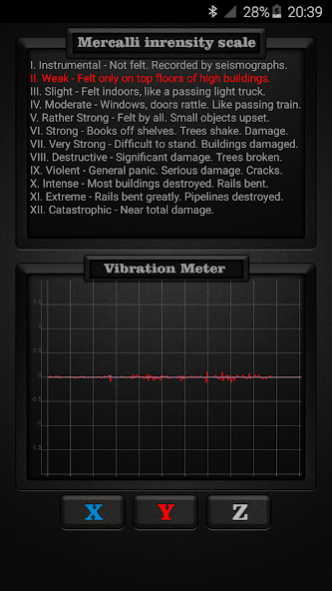

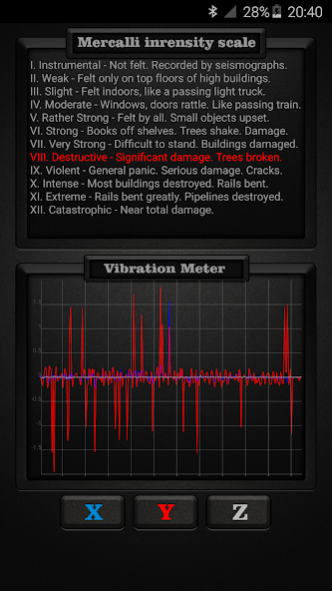
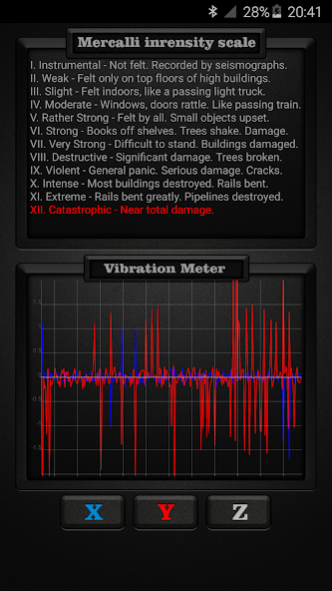
This is ad free (no ads) version of https://play.google.com/store/apps/details?id=com.gamma.vibrationmeter
Vibration Meter measures vibrations using your device’s sensors on all 3 axes: X, Y, Z and shows reference to earthquake vibrations as classified by internationally used Mercalli intensity scale for seismic activities such as earthquakes. The Mercalli intensity scale is a seismic scale used for measuring the intensity of an earthquake. It measures the effects of an earthquake. Vibration Meter can also be called seismograph or seismometer when used for measuring seismic activity.
Vibrations are shown in all 3 directions: X, Y, Z in different colors and specific directions can be turned off or on for more accurate directional readings.
To use; place your device on stable surface and measure seismic or other vibrations.
Mercalli intensity scale:
I. Instrumental - Not felt. Recorded by seismographs.
II. Weak - Felt only on top floors of high buildings.
III. Slight - Felt indoors, like a passing light truck.
IV. Moderate - Windows, doors rattle. Like passing train.
V. Rather Strong - Felt by all. Small objects upset.
VI. Strong - Books off shelves. Trees shake. Damage.
VII. Very Strong - Difficult to stand. Buildings damaged.
VIII. Destructive - Significant damage. Trees broken.
IX. Violent - General panic. Serious damage. Cracks.
X. Intense - Most buildings destroyed. Rails bent.
XI. Extreme - Rails bent greatly. Pipelines destroyed.
XII. Catastrophic - Near total damage.
Some countries use Richter scale instead of Mercalli scale. The Richter scale is a base-10 logarithmic scale, which defines magnitude as the logarithm of the ratio of the amplitude of the seismic waves to an arbitrary, minor amplitude.
To translate from Richter Scale to Mercalli and vice versa see below comparison:
Richter Scale = Mercalli equivalent
<3.5 = I
3.5 = II
4.2 = III
4.5 = IV
4.8 = V
5.4 = VI
6.1 = VII
6.5 = VIII
6.9 = IX
7.3 = X
8.1 = XI
> 8.1 = XII
About Vibration Meter PRO
The company that develops Vibration Meter PRO is Gamma Play. The latest version released by its developer is 1.09.
To install Vibration Meter PRO on your Android device, just click the green Continue To App button above to start the installation process. The app is listed on our website since 2017-01-31 and was downloaded 0 times. We have already checked if the download link is safe, however for your own protection we recommend that you scan the downloaded app with your antivirus. Your antivirus may detect the Vibration Meter PRO as malware as malware if the download link to com.gamma.vibrationmeter2 is broken.
How to install Vibration Meter PRO on your Android device:
- Click on the Continue To App button on our website. This will redirect you to Google Play.
- Once the Vibration Meter PRO is shown in the Google Play listing of your Android device, you can start its download and installation. Tap on the Install button located below the search bar and to the right of the app icon.
- A pop-up window with the permissions required by Vibration Meter PRO will be shown. Click on Accept to continue the process.
- Vibration Meter PRO will be downloaded onto your device, displaying a progress. Once the download completes, the installation will start and you'll get a notification after the installation is finished.
Program Details
System requirements
Download information
Pricing
Version History
version 1.09
posted on 2017-02-01
Thanks for using Vibration Meter PRO! We bring updates to Google Play regularly to constantly improve speed, reliability, performance and fix bugs.
version 1.08
posted on 2016-08-16
Disclaimer
Official Google Play Link
We do not host Vibration Meter PRO on our servers. We did not scan it for viruses, adware, spyware or other type of malware. This app is hosted by Google and passed their terms and conditions to be listed there. We recommend caution when installing it.
The Google Play link for Vibration Meter PRO is provided to you by apps112.com without any warranties, representations or guarantees of any kind, so access it at your own risk.
If you have questions regarding this particular app contact the publisher directly. For questions about the functionalities of apps112.com contact us.
